队长 队长的Blog 2025-10-03 CentOS – 落幕的王者 CentOS(Community Enterprise Operating System)是基于 Red Hat Enterprise Linux(RHEL)源代码构建的开源操作系统,以 企业级稳定性 和 与 RHEL 的高度兼容性 著称。它诞生于 2004 年,最初作为 RHEL 的免费社区版存在,2020 年后转型为 CentOS Stream,成为 RHEL 的上游开发分支,同时保留传统版本的长期支持(LTS)特性。 更新说明 基于 CentOS Stream 10 “Coughlan” 核心升级(2024 年 12 月发布) 内核与工具链:采用 Linux 6.12 LTS 内核,支持最新硬件驱动;升级 GCC 14、Python 3.12、Go 1.23、Rust 1.82 等开发工具。 软件包管理:默认使用 dnf 4.20 替代传统 yum,优化依赖解析和更新效率。 桌面环境:GNOME 47 引入动态工作区和应用坞优化,支持 Wayland 协议提升图形性能。 云原生支持:集成 Kubernetes 1.28、Docker 24.0 和 OpenShift #Linux
队长 队长的Blog 2025-10-03 Ubuntu – 生态最成熟的Linux发行版 Ubuntu 是一款基于 Debian 的开源 Linux 发行版,以 易用性 和 长期稳定性 著称,由 Canonical 公司提供商业支持,同时依托全球开发者社区持续迭代。其名称源于非洲祖鲁语,寓意 “人道待人”,强调协作与共享精神。 核心特色 1、用户友好:默认采用 GNOME 桌面环境,内置 Firefox、LibreOffice 等常用软件,支持即点即用的图形化操作,适合新手入门。 2、多平台兼容:官方支持 x86、ARM、RISC-V 等架构,适配 PC、服务器、云平台(如 Azure、AWS)及物联网设备(如树莓派),并通过硬件认证计划确保设备兼容性。 3、长期支持(LTS):每两年发布一次 LTS 版本,提供 5 年免费安全更新,企业用户可通过 Ubuntu Pro 订阅将支持延长至 12 年。 4、云原生能力:深度集成 Kubernetes、Docker 等工具,支持裸机即服务(MAAS)和边缘计算,是全球公有云最流行的 Linux 发行版之一。 5、安全强化:默认启用 AppArmor 强制访问控制,23.10 版本引入 TPM 支持的全盘加密,密钥存储于硬件安 #Linux
队长 队长的Blog 2025-10-03 Debian – 稳定到无聊的Linux发行版 Debian 是一款基于 Linux 内核的开源操作系统,以 100% 自由软件承诺、极致稳定性和广泛兼容性著称。作为社区驱动项目,它由全球 60 多个国家的开发者共同维护,无单一公司控制,拥有民主治理架构,且已本地化至 80 余种语言。其核心优势包括:支持 AMD64、ARM、RISC-V 等多硬件架构,适配从桌面电脑到物联网设备的各类终端;通过 APT 与 dpkg 构建完善的包管理系统,采用.deb 专属软件格式,稳定版含 59551 个软件包;提供平滑升级路径与长期安全支持,是 Ubuntu、Tails 等知名发行版的基础框架,广泛应用于企业服务器、科研设备及嵌入式场景。 更新说明 基于 Debian 13 “trixie” 核心更新:2025 年发布的 Debian 13 首次官方支持 riscv64 架构,新增 11294 个软件包,更新 42821 个现有包(占上一版本 72%),移除 9519 个过时包。 软件升级:内核与关键组件全面更新,包括 GCC 14.2、Emacs 30.1、BIND 9.20,桌面环境升级至 KDE Plasma 5.27、Xfc #Linux #操作系统
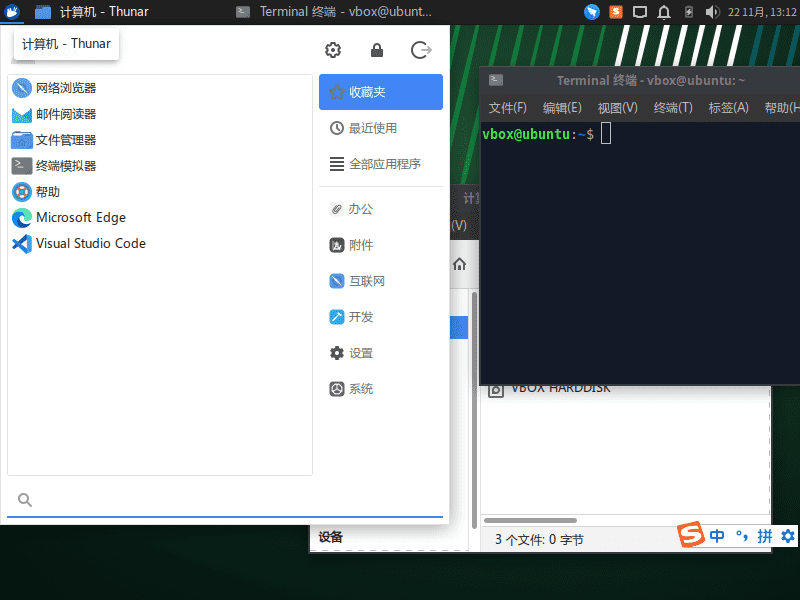
蜻 蜻蜓特派员 蜻蜓的窝 2024-11-22 Xubuntu 24.04 体验笔记 本文记录了安装使用 xubuntu 24.04 minimal 中遇到的问题 语言缺失 即便从安装开始选择了中文,部分菜单和应用因为是基于 gnome 的还是英文的样子,运行以下命令后重启启动即可解决 sudo apt install -y language-selector-gnome 安装搜狗拼音输入法 因为搜狗输入法是基于 fcix4 开发的,所以需要首先卸载掉系统自带的 fcix5,相关命令如下 sudo apt purge -y fcitx5* # Additional dependencies (refer to: https://shurufa.sogou.com/linux/guide) sudo apt install fcitx libqt5qml5 libqt5quick5 libqt5quickwidgets5 qml-module-qtquick2 libgsettings-qt1 sudo cp /usr/share/applications/fcitx.desktop /etc/xdg/autostart/ # Download deb i #Linux
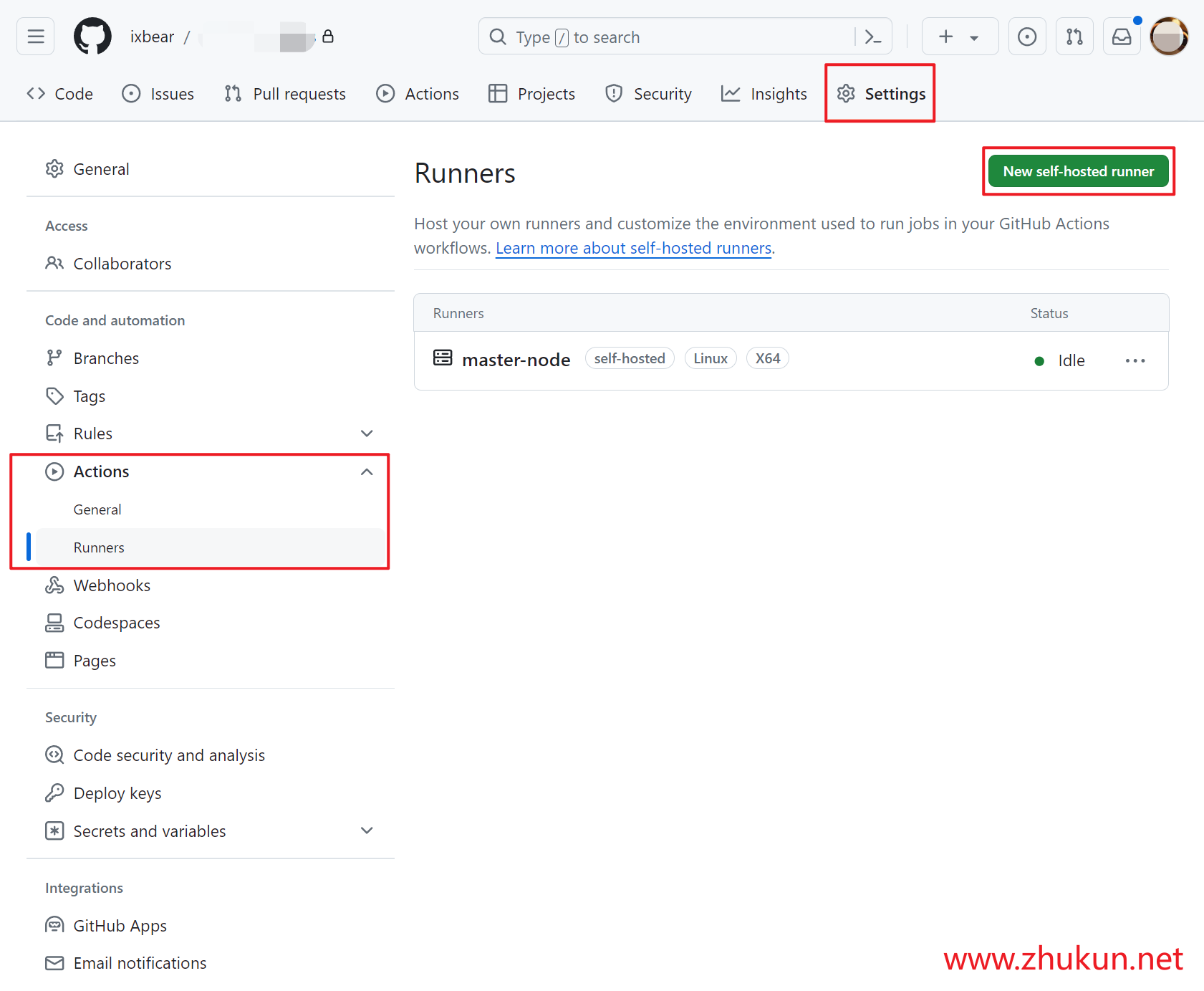
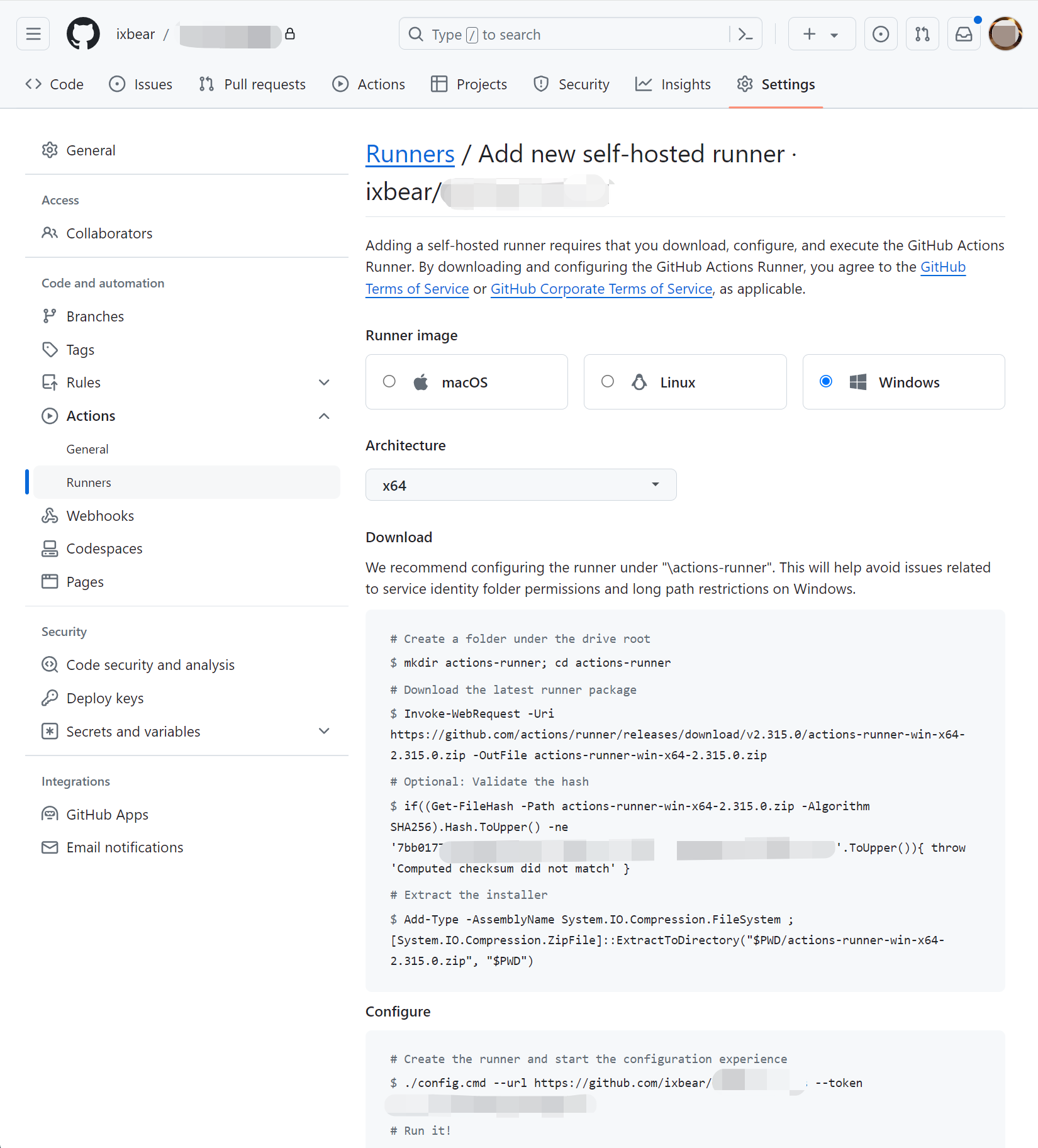
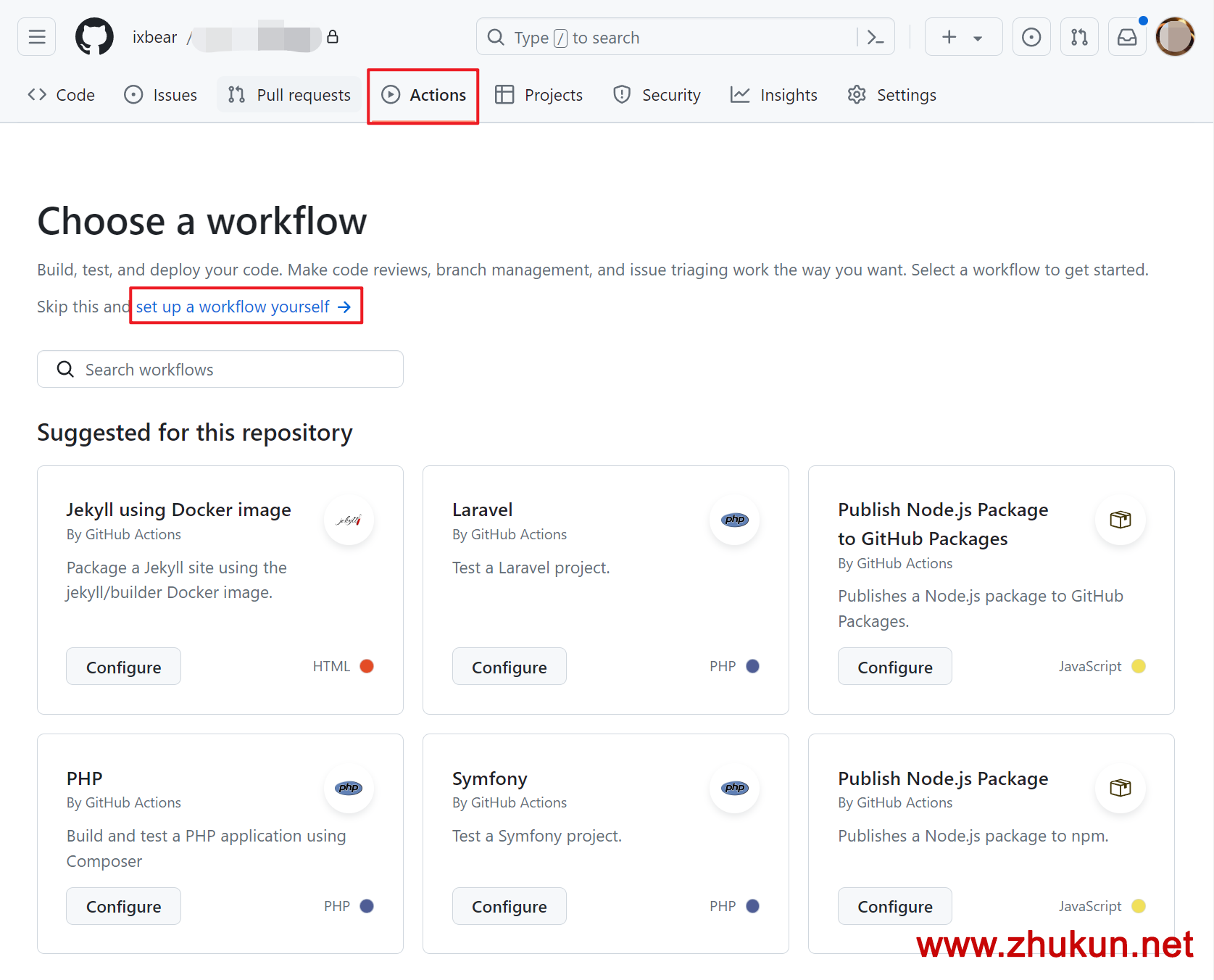
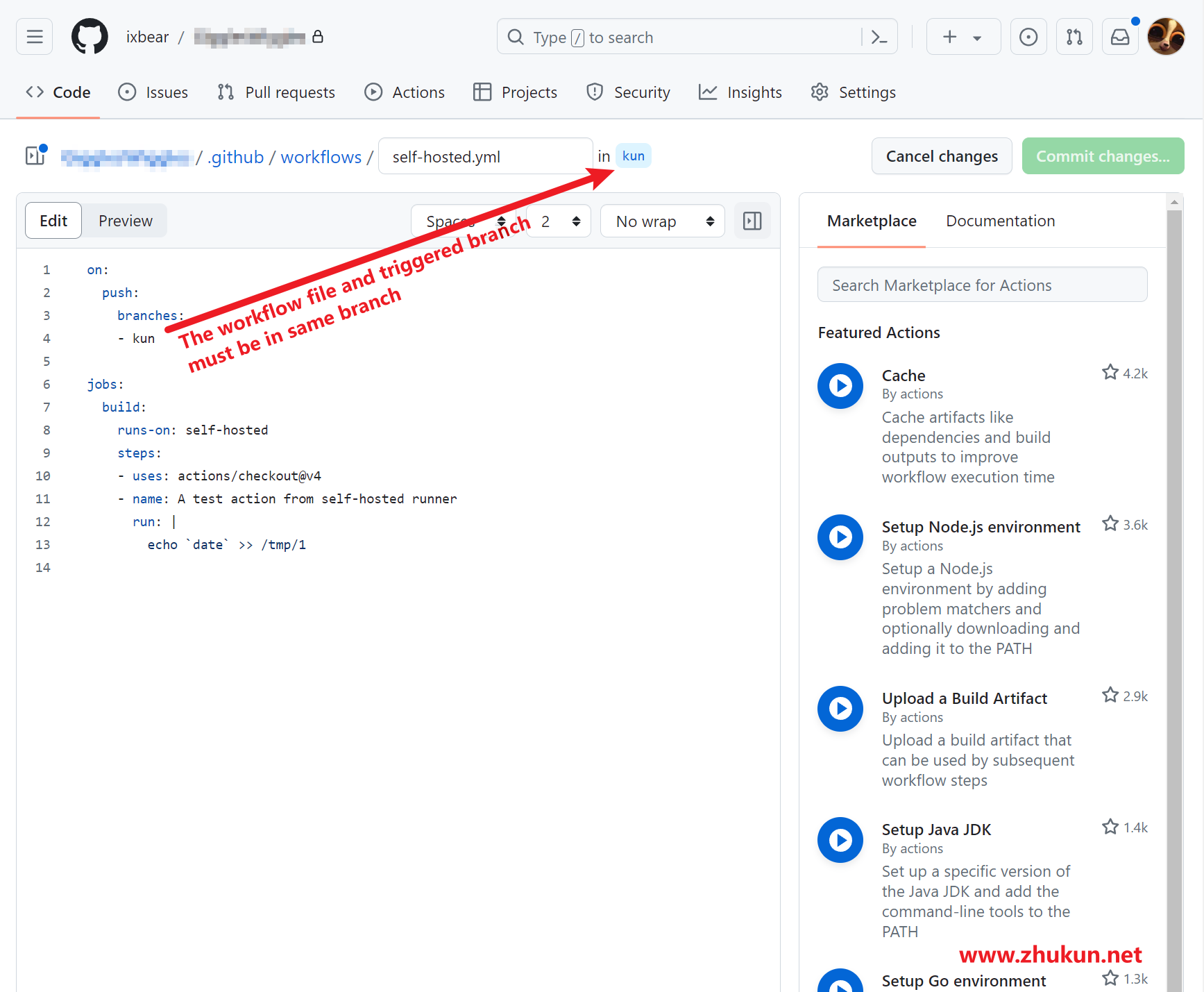
bear 月与灯依旧 2024-04-08 Set up self-hosted runners for Github Actions Add and Install a new runner on our host Highly recommand run self-hosted runner as a systemd service # Save settings ./config.cmd --url https://github.com/XXX/MyApp --token XXXXXXXXX # Lets's deploy a systemd service # Refer: https://docs.github.com/en/actions/hosting-your-own-runners/managing-self-hosted-runners/configuring-the-self-hosted-runner-application-as-a-service sudo ./svc.sh install Then, we will see these below Run as user: zhang3 Run as uid: 1000 gid: 1000 Created symlink /etc #编程学习 #git #Github
bear 月与灯依旧 2023-12-25 Get Ubuntu release code name in Script $ lsb_release -h Usage: lsb_release [options] Options: -h, --help show this help message and exit -v, --version show LSB modules this system supports -i, --id show distributor ID -d, --description show description of this distribution -r, --release show release number of this distribution -c, --codename show code name of this distribution -a, --all show all of the above information -s, --short show requested information in short format $ lsb_release -a No LSB modules are available. Distributor #Linux运维 #Linux #ubuntu
蜻 蜻蜓特派员 蜻蜓的窝 2023-07-14 从零制作 Ubuntu 20.04 LiveCD 为什么要构建自己的 LiveCD 进行一些本地化修改; 对默认设置不满意; 对镜像的预装不满意。 构建条件 一个运行 Ubuntu 的设备(虚拟机也是可以的,但不推荐 WSL1/2,因为 WSL2 经过实际测试会出现一些问题)。 确保已经安装 dosfstools、squashfs-tools、xorriso、grub-common、grub-pc-bin 、grub-efi软件包。还有 nano 文本编辑器。 sudo apt-get install --no-install-recommends -y debootstrap squashfs-tools xorriso dosfstools mtools grub-efi grub-pc-bin nano 全程终端操作,需要 sudo 权限。 准备目录 准备一个空文件夹作为工作目录。这个空文件夹所在分区不能是 NTFS、FAT32 格式。 然后在这个文件夹中创建 target、livecd 这两个文件夹。target 里面是目标系统,livecd 是 ISO 文件夹目录。 livecd 里面要创建 casp #Linux
bear 月与灯依旧 2022-12-02 The easiest way to build a http/ftp server with Python Build a HTTP Server # Python2 python -m SimpleHTTPServer PORT # Python 3 python -m http.server PORT python -m http.server PORT --bind example.com Build a FTP Server pip install pyftpdlib python -m pyftpdlib -p 21 # notice: it's ftpd, not ftp # if you want a username and password python -m pyftpdlib -u USERNAME -P PASSWORD A powershell script could run in Windows place a file named “ftp.ps1” with the following content: Set-ExecutionPolicy RemoteSigned -Scope CurrentUser Set-Location -Pat #Linux运维 #Linux #python
bear 月与灯依旧 2022-10-25 pproxy简单介绍 pproxy是一个简单的小工具, 顾名思议它是一个临时的代理小工具. 下面介绍其使用方法. 安装 服务端和客户端都可以使用如下方式进行安装 pip3 install pproxy 服务端运行 pproxy -l ss://aes-128-gcm:MyPassword@:3389 客户端运行 客户端简单运行 pproxy -r ss://aes-128-gcm:MyPassword@ServerIP:3389 -vv 然后客户端会提示”Serving on :8080 by http,socks4,socks5″. 客户端建立http代理 sudo pproxy -l http://127.0.0.1:8080 -r ss://aes-128-gcm:MyPassword@ServerIP:3389 -vv 然后客户端会提示”Serving on 127.0.0.1:8080 by http”. 客户端建立DNS tunnel 由于ss(AEAD)协议不支持udp, 因此我们只能换用socks5或者tunnel (raw socket)协议来支持udp. 服 #电脑网络 #Linux #python